Table of Contents
- Laptop Battery Replacement Near Me: What to Expect
- Laptop Battery Health Check Before You Replace
- Laptop Battery Replacement Cost: What Drives the Price
- Laptop Battery Replacement Time: Same-Day vs. Ordered Parts
- Laptop Battery Swelling: When to Stop Using It Now
- DIY vs. Professional Laptop Battery Replacement
- How to Choose a Local Repair Shop
- Frequently Asked Questions
Last Updated: October 12, 2026
Laptop Battery Replacement Near Me: What to Expect
If your laptop dies at 40 percent and the charger has become a permanent accessory, you are likely searching for laptop battery replacement near me and wondering what it actually involves. At Cell Phone Repair Lab, the process is more predictable than most people expect. This guide walks through the warning signs, the health check that confirms the diagnosis, what drives cost, how long it takes, and how to pick a shop you can trust.
Signs Your Battery Is Failing
The clearest sign is a battery that no longer holds a charge through a normal work session. A battery not holding a charge is a common complaint, and it usually shows up in a few predictable ways:
- The laptop shuts down abruptly at 30 to 40 percent, even though the percentage looked fine.
- Battery life drops from hours to minutes, and the number on screen jumps around.
- The laptop only runs while plugged in, and unplugging it kills power instantly.
- The chassis feels warm near the trackpad, or the case bulges slightly.
- Charging stops at a random percentage, or the charging issue appears only when the cable is at a certain angle.
One of those symptoms can point to a worn battery. Several together almost always confirm it. A charging issue that shows up only at certain cable angles, though, is often the port rather than the battery, which is why diagnosis comes before replacement.
Laptop Battery Health Check Before You Replace
A laptop battery health check tells you whether replacement is actually necessary before you spend anything. On Windows, open Command Prompt as administrator and run powercfg /batteryreport (Battery Health). The report generates an HTML file showing design capacity versus full charge capacity. On a Mac, hold Option and click the Apple menu, then open System Information and check the Power section for cycle count and condition.
Here is how to read what you find:
| What You See | What It Means | What To Do |
|---|---|---|
| Full charge capacity well below design capacity | Normal chemical aging | Plan a replacement |
| Cycle count near the rated limit | Battery has lived its useful life | Replace soon |
| Health looks fine but laptop still shuts down early | Possible charging issue or calibration problem | Get device diagnostics first |
| Battery drains while plugged in | Charger or port problem, not the battery | Diagnose the power path before buying parts |
Laptop Battery Replacement Cost: What Drives the Price
Laptop battery replacement cost depends on four things: the device model, the price of replacement parts, labor cost, and whether the battery is internal or user-accessible.
A typical quote breaks down into three buckets:
- The battery itself. This is usually the largest line item. A standard replacement pack for a common consumer laptop generally lands in the low tens of dollars, while a high-capacity or OEM-spec pack for a premium ultrabook can run several times that. The spread is driven by cell quality, capacity rating, and how tightly the pack is matched to your model's firmware.
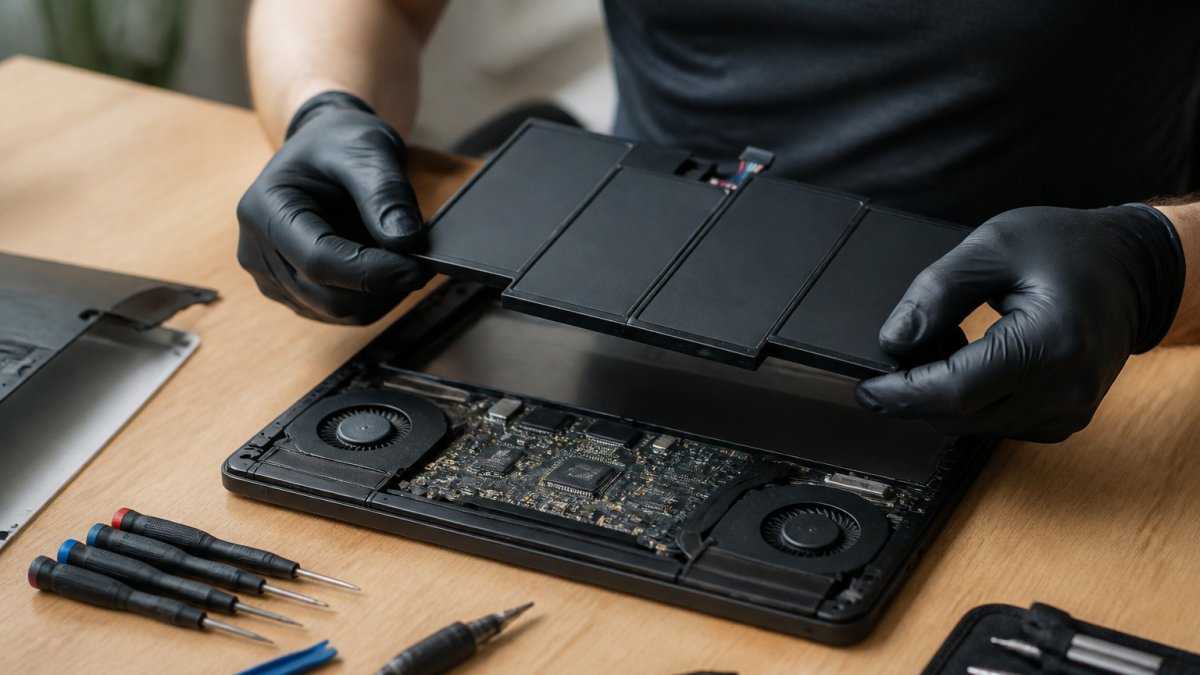
- Labor. A removable external pack is a two-minute swap and often carries little or no labor charge. A sealed internal battery requires opening the chassis, disconnecting the old pack, and sometimes removing the keyboard or bottom panel first, which is where most of the labor time goes.
- Diagnostics and disposal. Many shops fold a diagnostic check into the quote. Safe disposal or recycling of the old lithium pack is sometimes a separate small fee.
Parts availability matters just as much as the part itself. A common model with widely stocked batteries keeps the repair affordable.
Here is how the common scenarios tend to compare:
| Scenario | What drives the price | Typical pattern |
|---|---|---|
| Removable external pack, common model | Part cost only, minimal labor | Lowest end of the range |
| Sealed internal battery, mainstream laptop | Part plus 30-60 minutes of labor | Mid range |
| Premium ultrabook, OEM-spec pack | Higher part cost, more disassembly | Higher end |
| Older or uncommon model | Sourcing difficulty, possible aftermarket part | Variable, sometimes higher |
Because pricing varies by model, we publish current rates on our website rather than quoting a single figure here. Request an estimate with your laptop model and you will receive a firm number before any work begins.
Two things can quietly inflate a quote. First, a shop that bundles a full diagnostic teardown into every battery job may charge more than one that only opens the device once. Second, a quote that is dramatically lower than everyone else often signals an aftermarket pack with lower capacity or a shorter warranty. Neither is automatically wrong, but you should know which one you are buying.
If the number still feels high, ask whether the battery is the only failing part.
Laptop Battery Replacement Time: Same-Day vs. Ordered Parts
Laptop battery replacement time ranges from about an hour to several days, and the deciding factor is parts availability. If the shop stocks your battery, a same-day service is realistic, and many repairs finish within a couple of hours.
Fast turnaround depends on three things:
- Whether the battery is in stock for your laptop model
- Whether the repair requires full disassembly or just a panel removal
- Whether you book an appointment or walk in during a busy period
For work-essential machines, call to confirm availability before you drive over. A quick phone call about your model and the part saves a wasted trip, and it is the single best way to guarantee same-day service.
Laptop Battery Swelling: When to Stop Using It Now
Stop using a swollen battery immediately. A swollen battery is a safety issue, not a performance issue, and continuing to use or charge it can damage the trackpad, the chassis, and in rare cases create a fire risk.
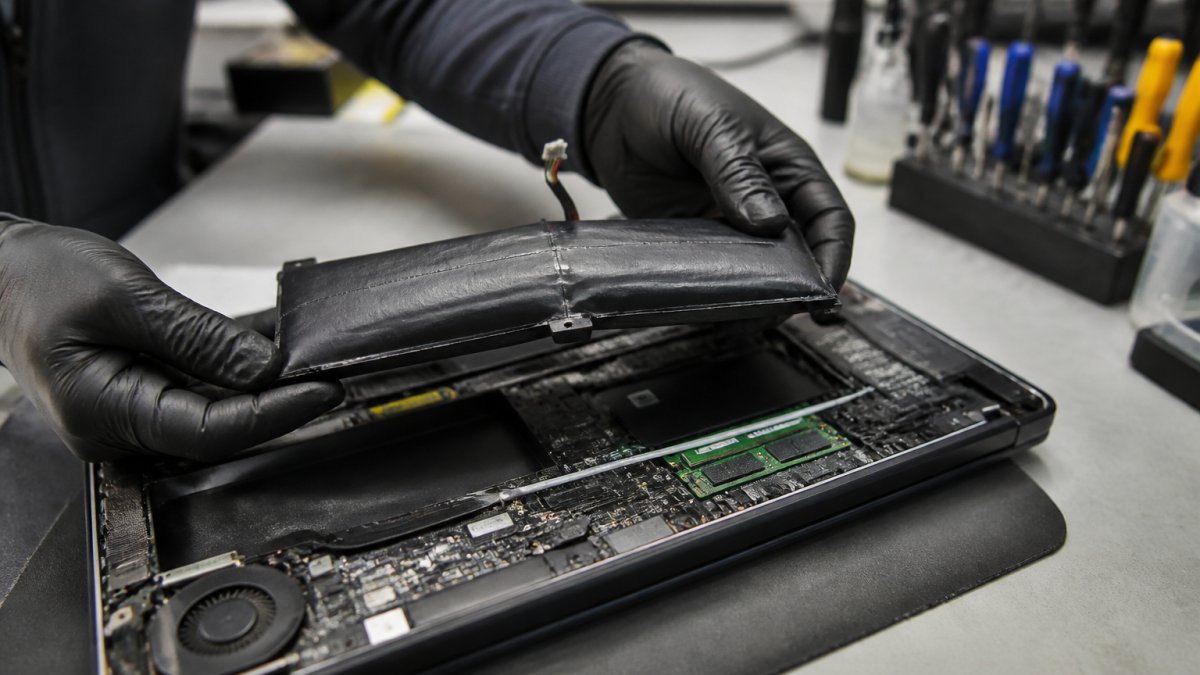
Watch for these signs of swelling:
- The trackpad feels raised or clicks oddly.
- The bottom case no longer sits flat on a desk.
- The keyboard or screen bezel shows a visible curve.
- The laptop rocks when you type.
DIY vs. Professional Laptop Battery Replacement
Doing it yourself makes sense in a narrow set of cases: the battery is externally removable, the replacement part is genuine and verified for your exact laptop model, and you are comfortable with basic tools.
The other factor is part quality. Aftermarket batteries vary widely in cell quality and compatibility. A battery that fits but does not match your device model's voltage and firmware expectations can cause charging issues, shutdowns, or a battery that reports incorrect health from day one.
We recommend professional replacement when:
- The battery is internal or requires removing the keyboard.
- The laptop is still under manufacturer warranty.
- You see any sign of swelling.
- You want a warranty on the work and the part.
How to Choose a Local Repair Shop
Choosing well comes down to asking the right questions before you hand over your device. A trustworthy shop answers all of these without hesitation:
- Do you provide a free estimate before starting work?
- What warranty covers the battery and the labor, and how long is it?
- Are the replacement parts matched to my exact device model number?
- Can you confirm the battery is in stock before I come in?
- Do you offer walk-in service, or should I schedule an appointment?
- How long will the repair take, start to finish?
- How do you handle my data during the repair?
Customer reviews and ratings help, but read for patterns rather than single complaints. A shop with consistent notes about honest pricing and fast turnaround is a better signal than a perfect score with no detail. Look for reviews that mention the specific repair you need, a shop that is great at screen swaps is not automatically great at internal battery work.
What to expect from a local repair visit
Knowing the shape of a typical visit makes it easier to spot a shop that is cutting corners:
- Check-in and diagnostic. Expect the shop to confirm your model number and run a battery health check before quoting. This usually takes a few minutes and should happen before any work begins.
- The quote. You should get a firm number, not a range that drifts upward later. Ask what happens if the technician finds an additional problem once the device is open.
- The repair itself. A stocked battery on a removable pack can be done while you wait. A sealed internal battery usually takes longer because of the disassembly, so plan to leave the device or wait in the shop.
- Data handling. A battery replacement should not touch your storage, but ask anyway. A shop that keeps your device powered down and does not require your login for a battery job is handling it correctly.
- Pickup and warranty paperwork. Get the warranty terms in writing, including what voids it. Most reputable shops void the warranty if you open the device yourself afterward.
Red flags worth walking away from
- The shop will not give an estimate before you leave the device.
- The quote changes after the device is already open, with no explanation of what was found.
- No warranty is offered on the part or the labor.
- The shop cannot tell you the brand or model of the replacement battery.
- They pressure you to approve additional repairs you did not ask about.
Questions to ask when comparing nearby providers
If you are calling two or three shops, the fastest way to separate them is to ask the same three questions of each: What is the all-in price for my exact model? How long will it take if the part is in stock?
At Cell Phone Repair Lab, every repair is backed by a 90-day warranty, and we use lab-grade precision and ESD-safe workstations for every device.
Frequently Asked Questions
Where can I get my laptop battery replaced?
You can take it to a local repair shop, a manufacturer service center, or a general computer repair store. Local shops often offer walk-in service, free estimates, and same-day turnaround on common laptop models. If you need pickup and drop-off, ask whether the shop covers your area before booking. Cell Phone Repair Lab serves the Westchester, Bronx, and lower Connecticut area with free pickup within 25 miles.
How much does laptop battery replacement cost?
The total depends on your laptop model, whether the battery is internal or removable, and the quality of the replacement part. Premium ultrabooks with glued-in batteries usually cost more in labor than older business laptops with quick-release batteries. Labor cost and replacement parts are the two biggest line items. Check Cell Phone Repair Lab's website for current pricing or request a free estimate before you commit.
How long does laptop battery replacement take?
Most standard laptop battery replacements take under an hour of bench time once the correct part is in hand. Removable batteries can be swapped in minutes. Internal batteries on slim laptops take longer because the chassis must be opened carefully. If the shop stocks your battery, same-day service is realistic. If the part must be ordered, expect one to three business days.
Is it safe to replace a laptop battery myself?
On older laptops with removable batteries, yes, it is straightforward. On modern ultrabooks with internal batteries, DIY replacement carries real risk. Puncturing a swollen lithium-ion cell can cause a fire. You also risk damaging the keyboard, trackpad, or display cable during disassembly. If your battery is swelling, stop using the laptop and let a technician handle it.
A failing battery turns a working laptop into a desk-bound machine, and the longer you wait, the more likely a simple battery replacement becomes a bigger repair. Cell Phone Repair Lab handles laptop battery replacement with quality parts, a 90-day warranty, free pickup and drop-off within 25 miles, and same-day service when your part is in stock. Get a quote with your laptop model and we will confirm the price and timing before any work starts.